To integrate Artiststore to your Shopify store, please go to Integration Management → Store Connection
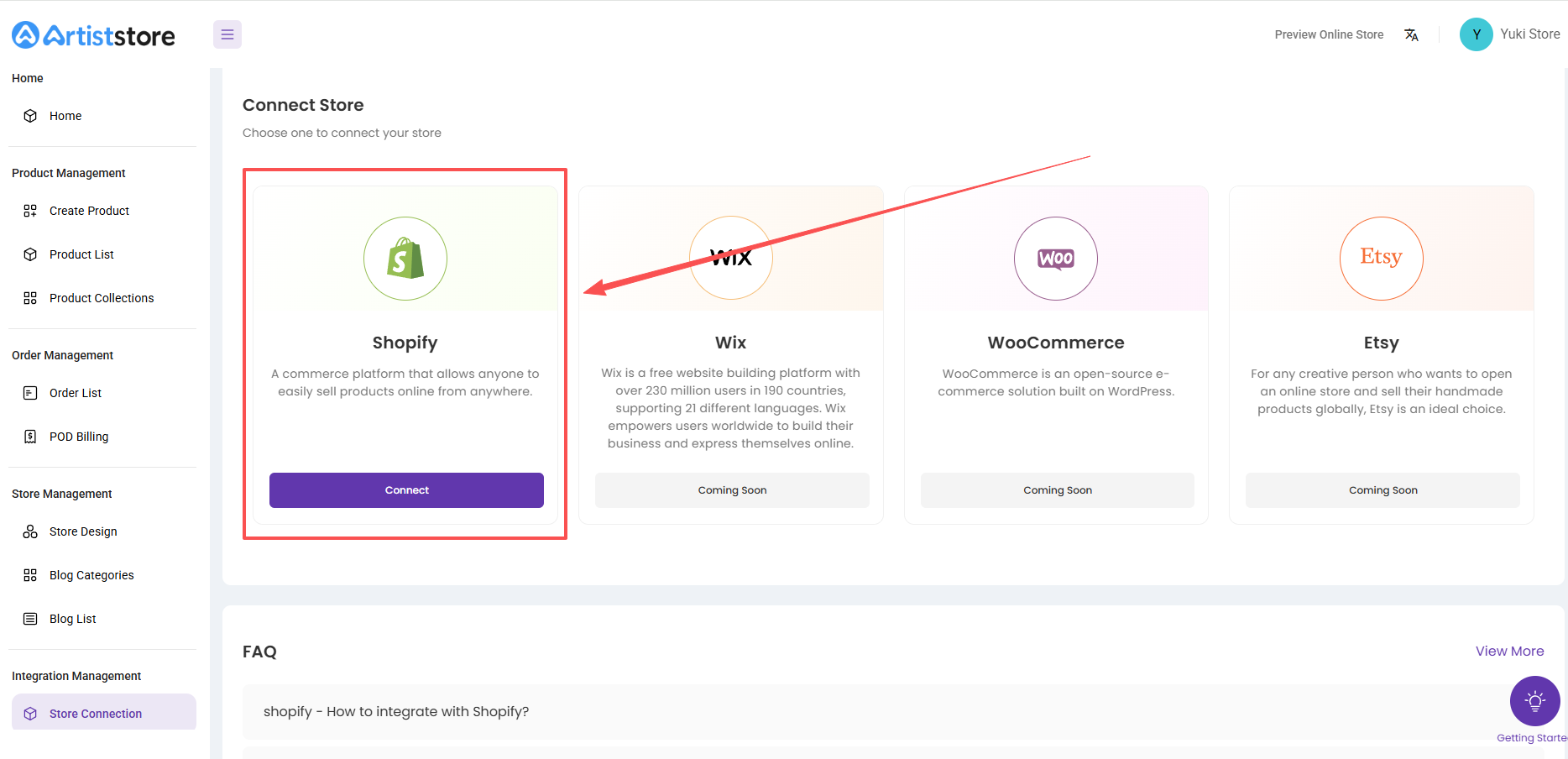
Step 1:
Click the "Connect" Button
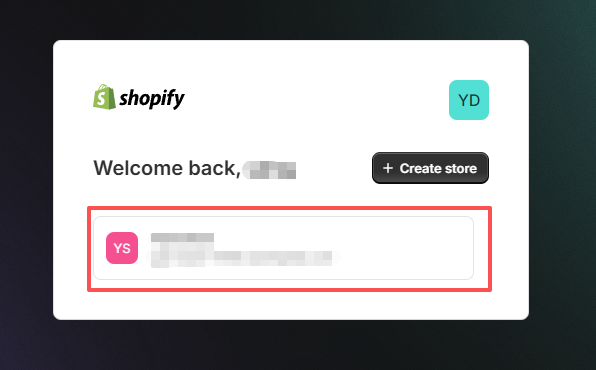
Step 2:
Choose the Shopify store you want to integrate with
Step 3:
Install Artiststore app
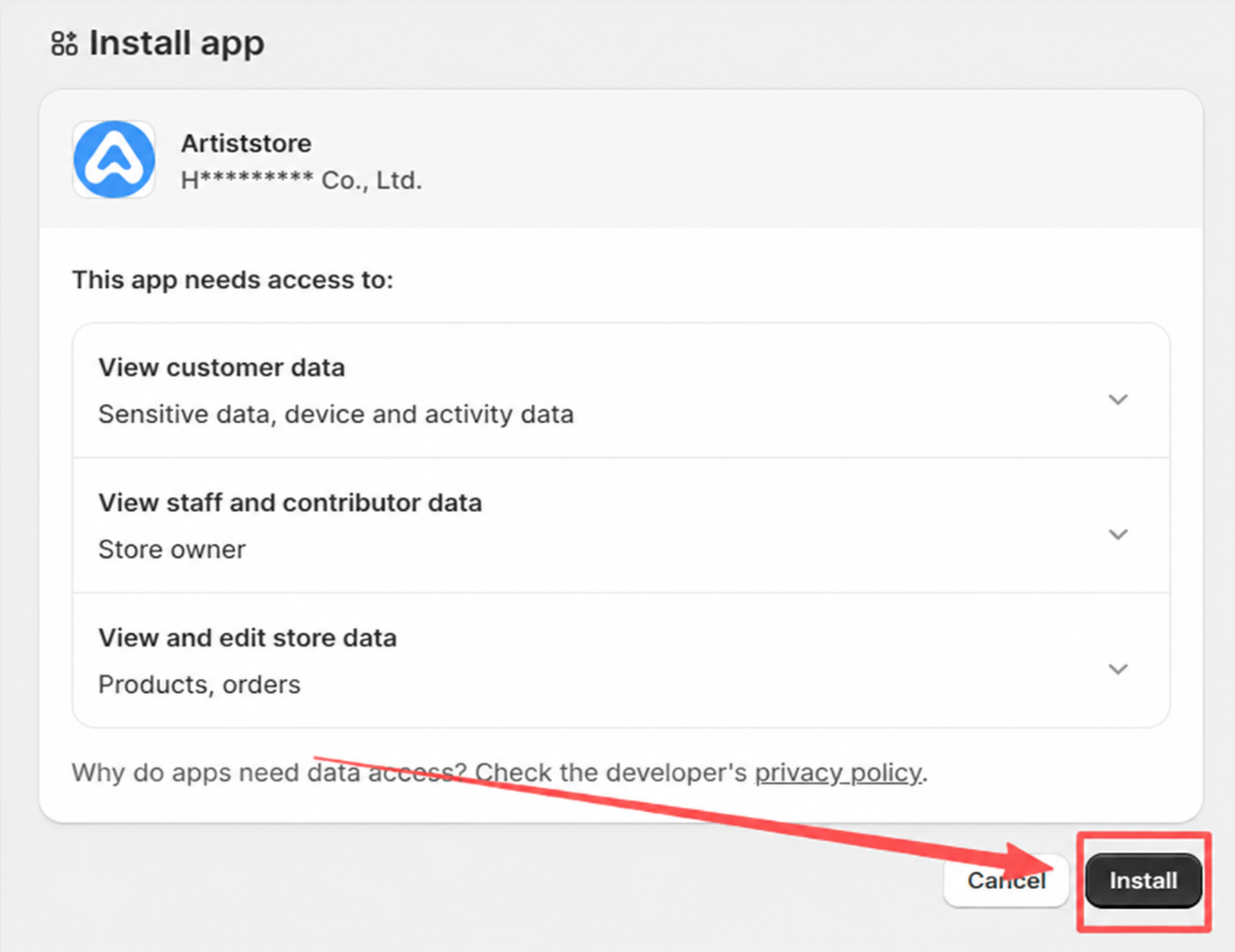
After you click "Install", you will be redirected back to the Artiststore dashboard, you’ll now see your connected Shopify store in the dashboard.
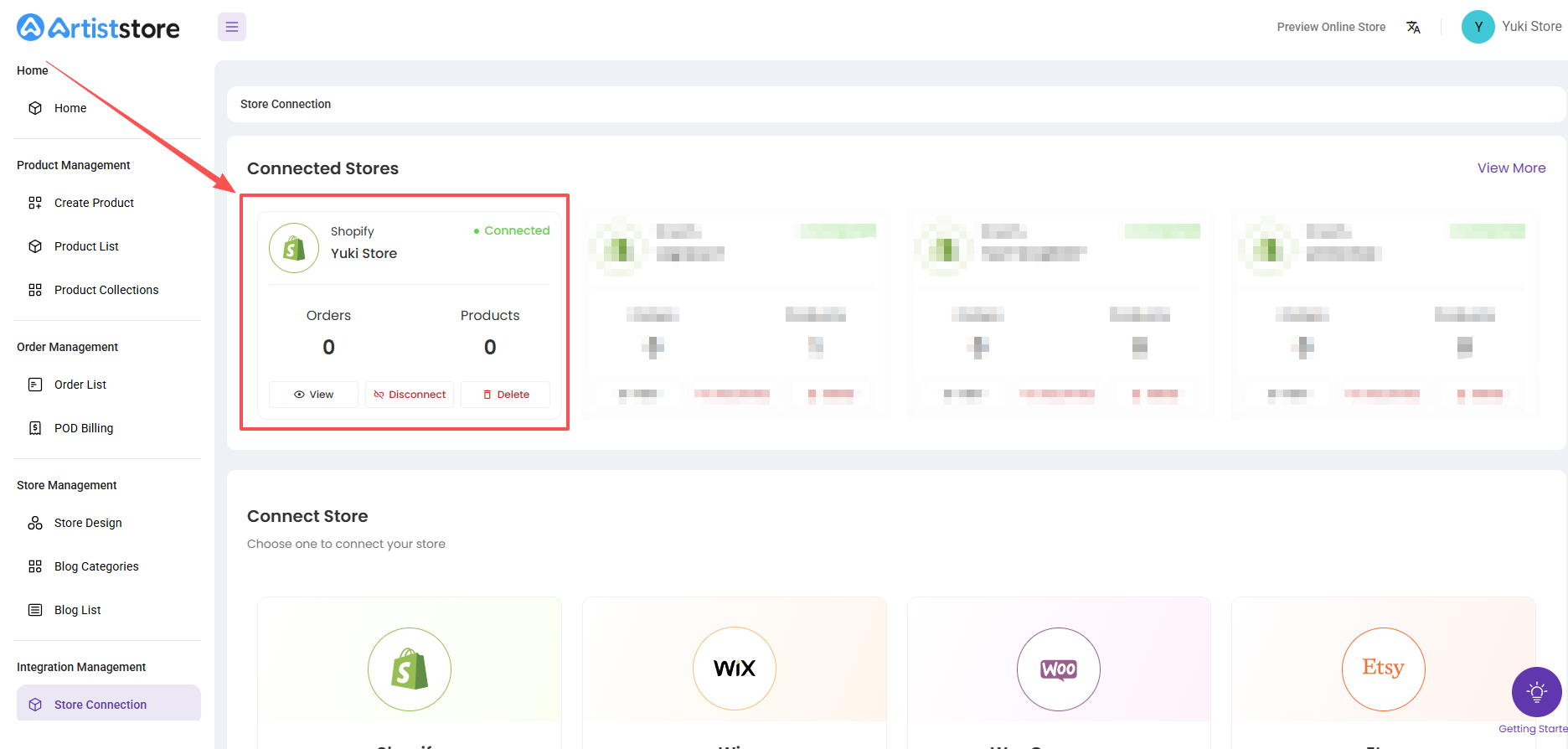
Step 4:
Go to Product List and select the products you would like to sync, then click "Publish product"
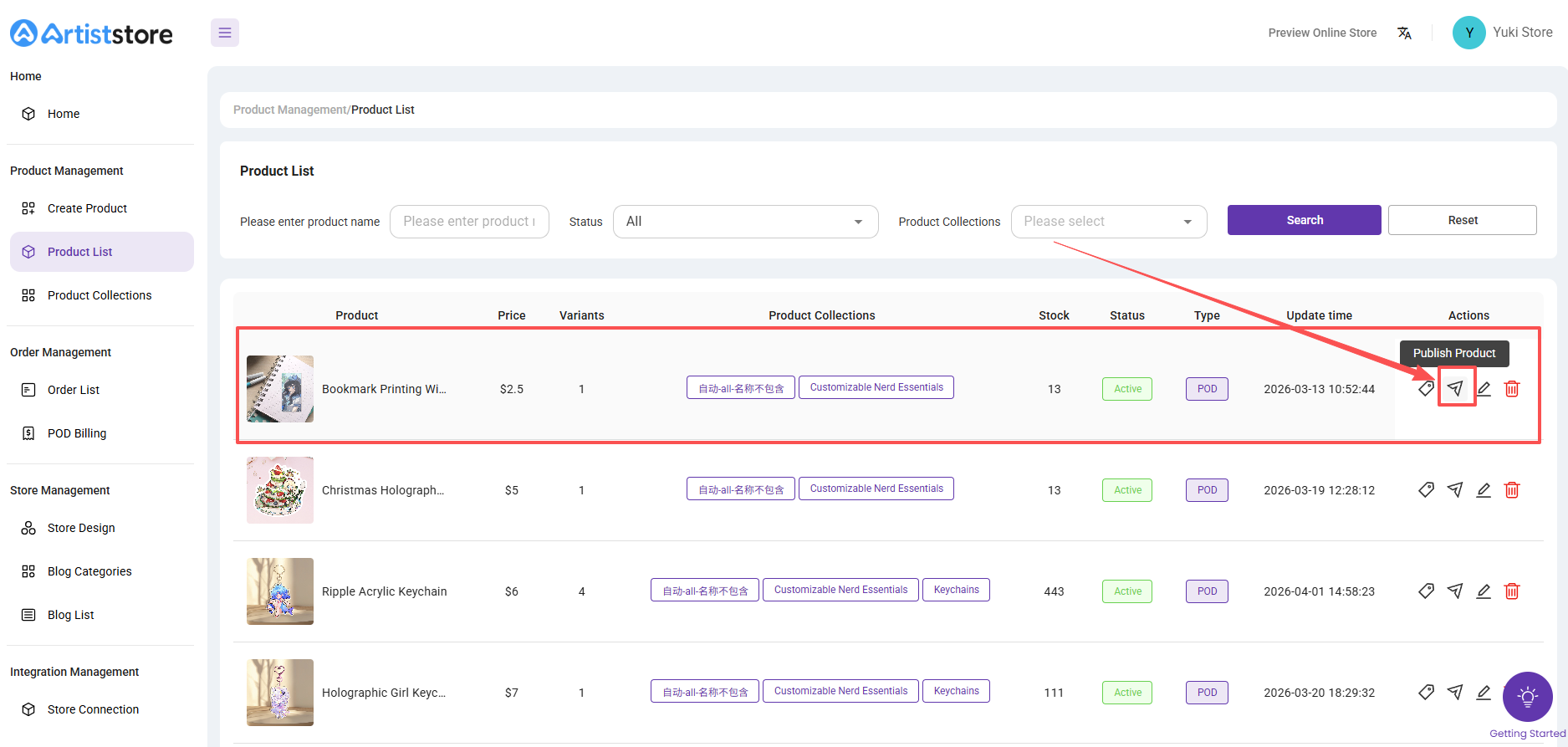
Step 5:
Confirm the product detailed information, if there is no problem, click "Publish"
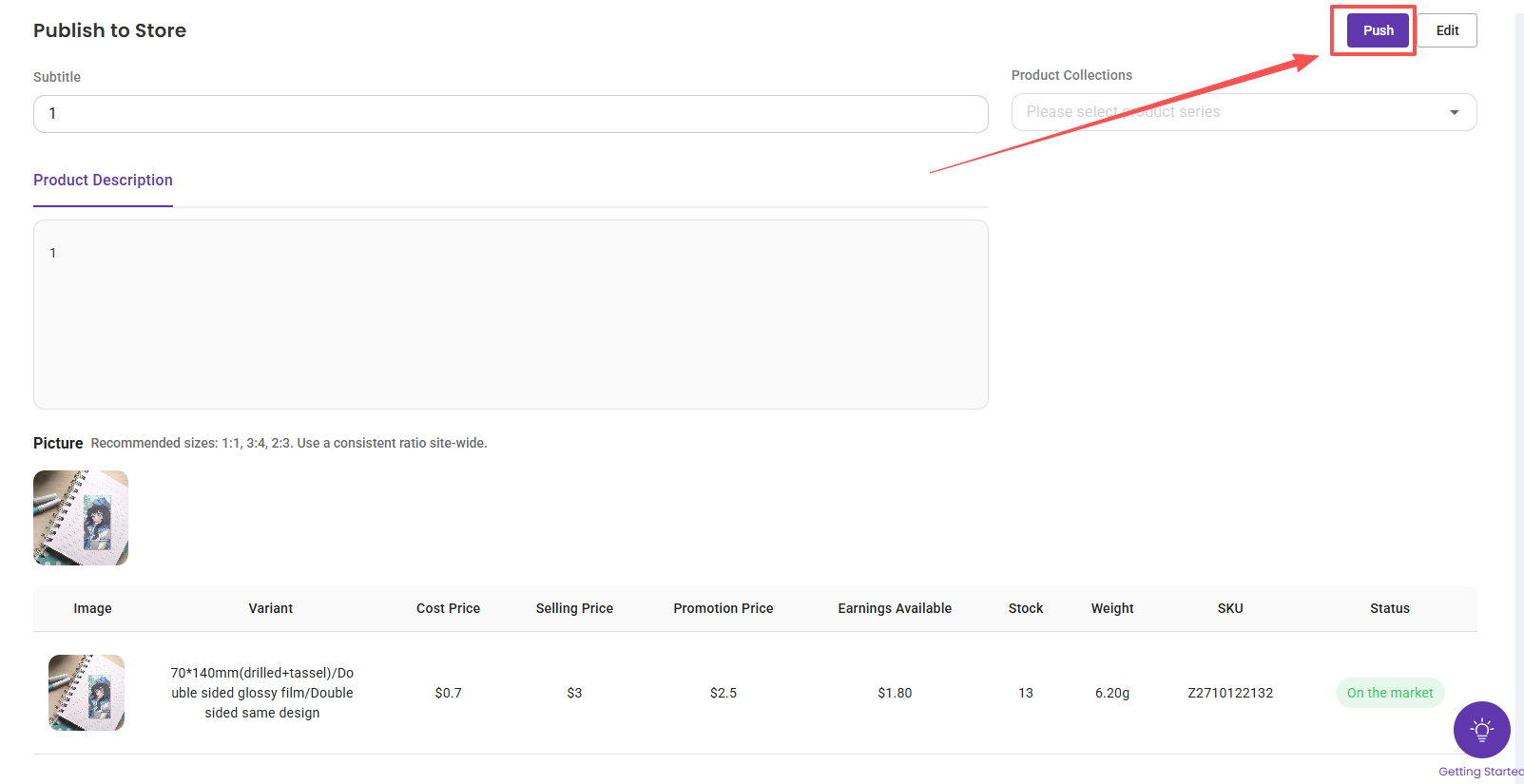
Step 6:
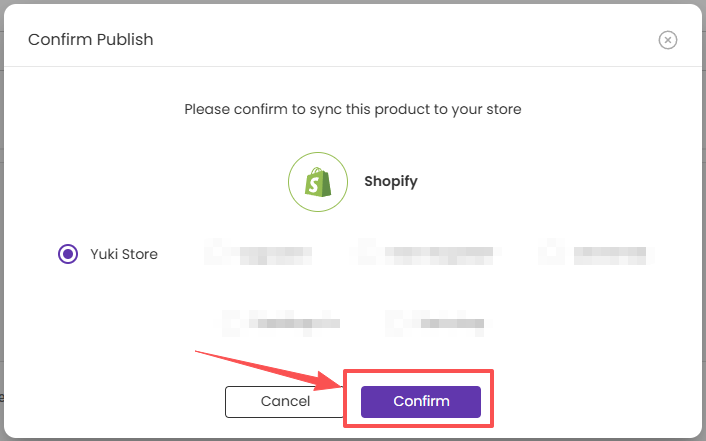
Choose the shopify store you want to sync and click "Confirm"
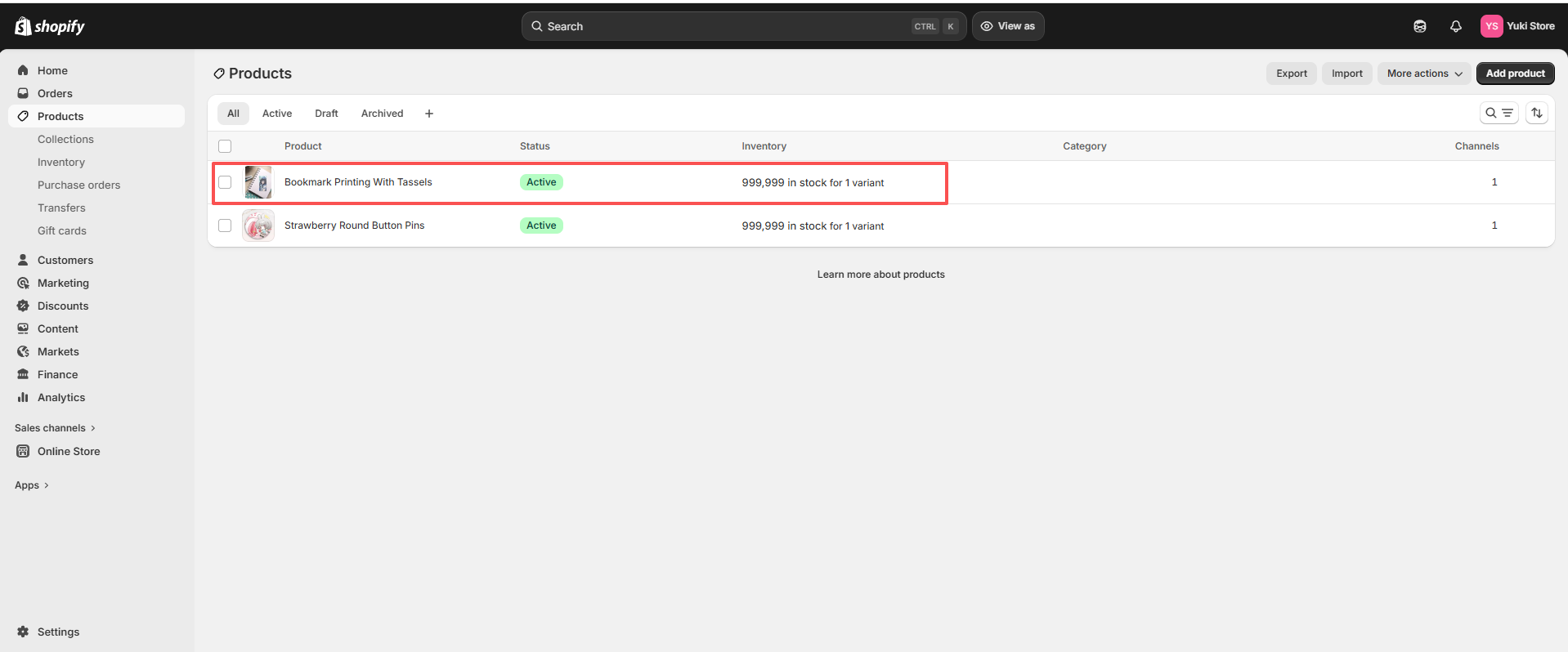
Then you can see the synced product in your Shopify dashboard
Step 7:
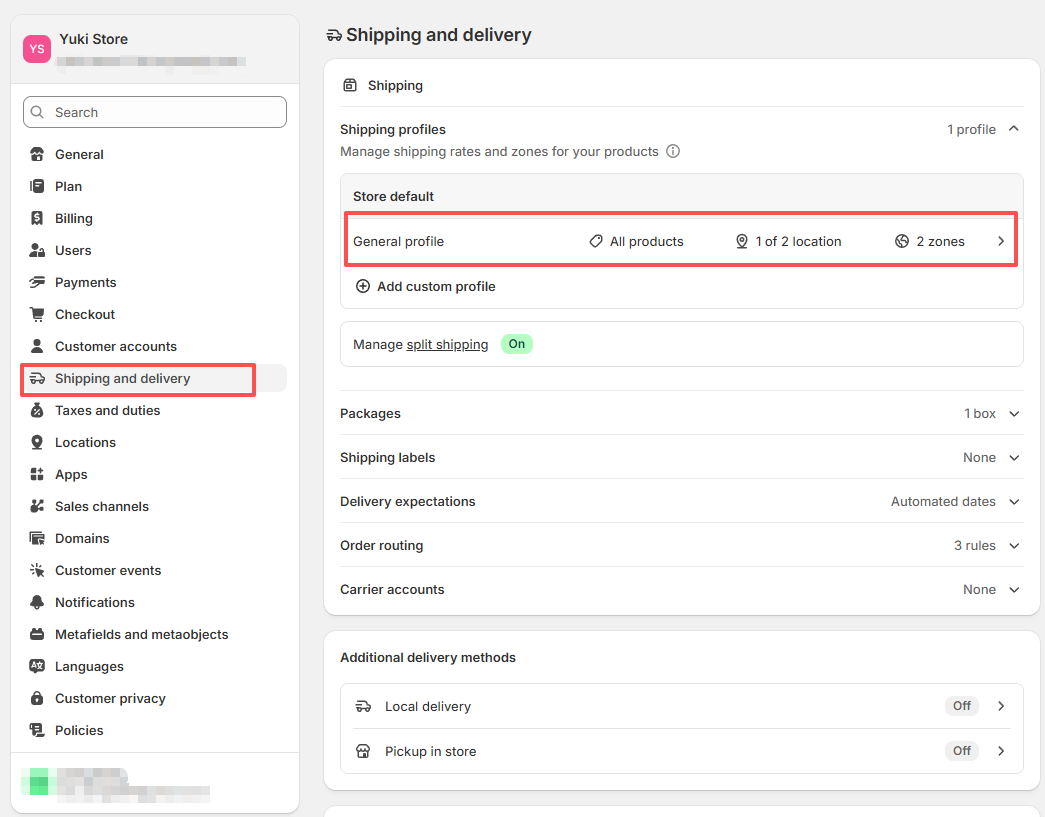
Go to Shopify Settings → Shipping and delivery → Shipping profiles
Add fulfillment location, choose Artiststore and click "Add"
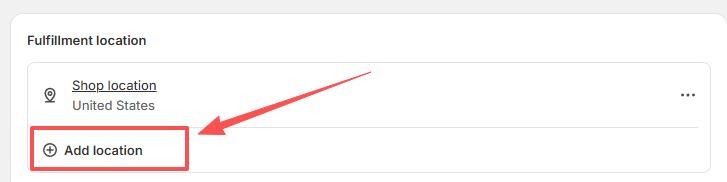
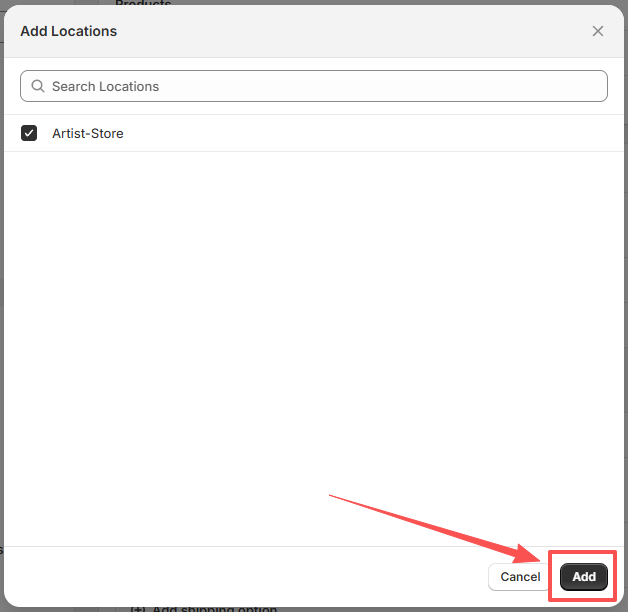
Note: Remember to save your settings
After completing the above steps, you've already succssfully integrated Artiststore to your Shopify store and synced one product to your Shopify.
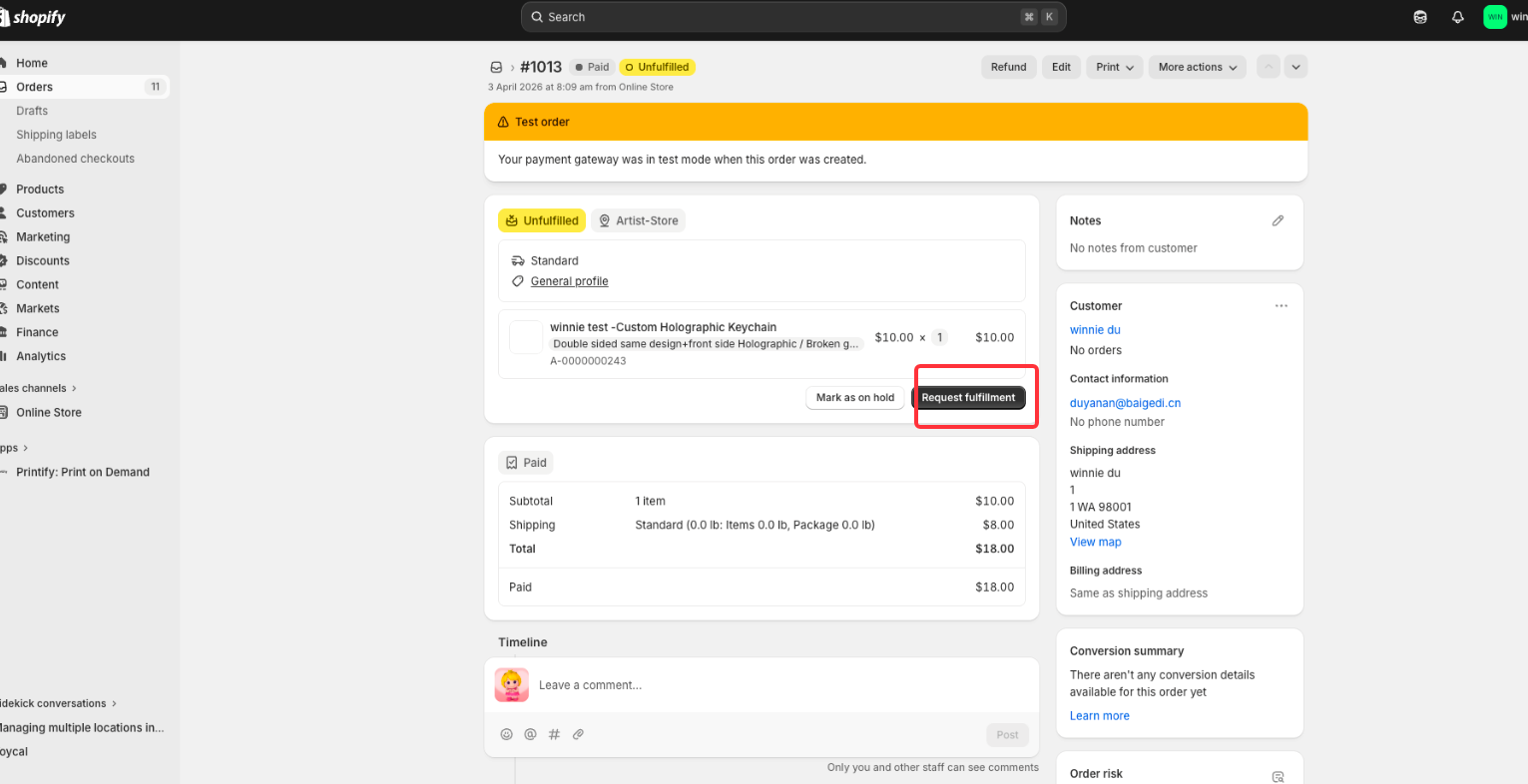
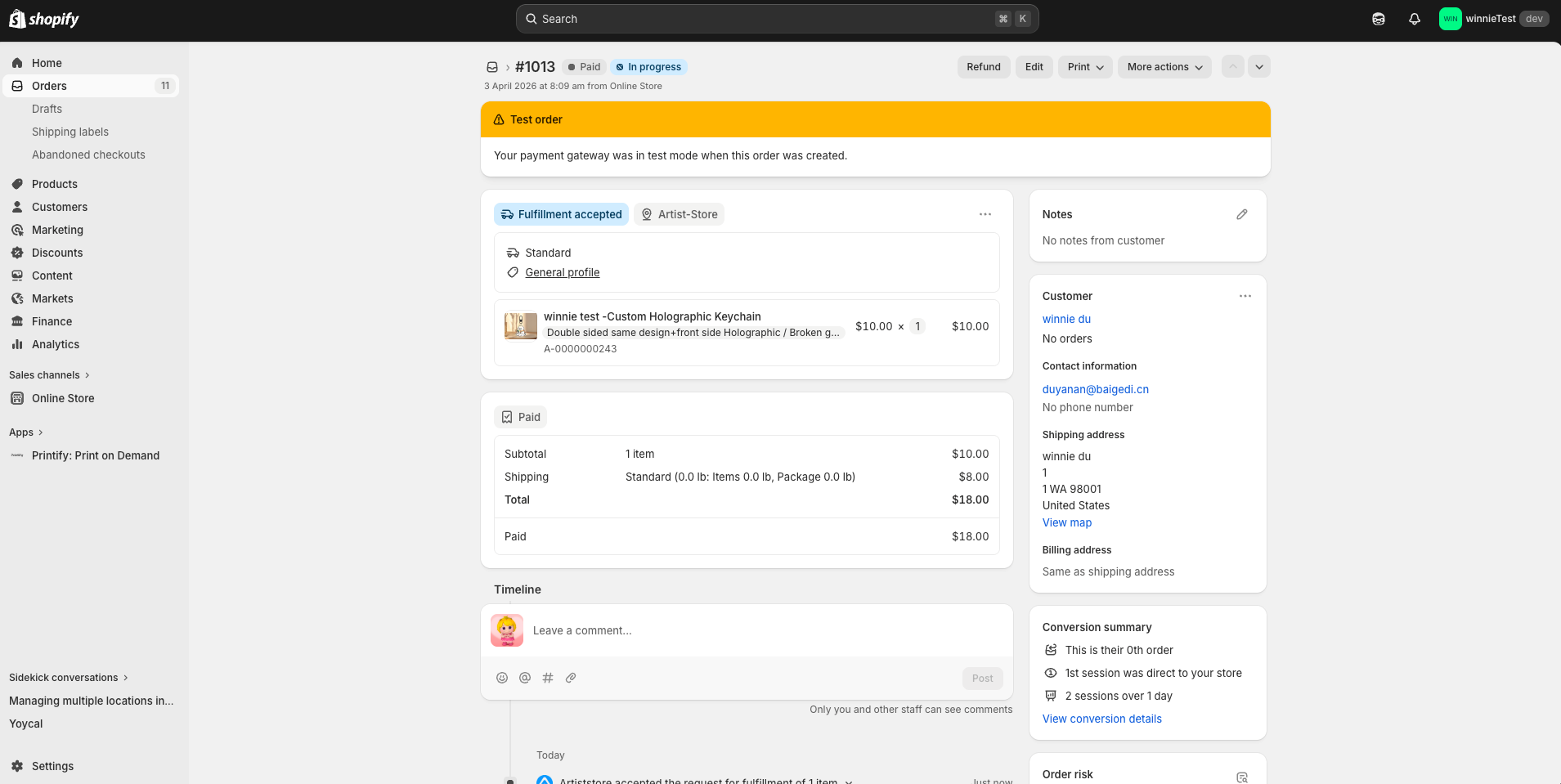
Once your customer place an Artiststore POD order in your Shopify store, you can view the related order details in Orders in your Shopify dashboard.
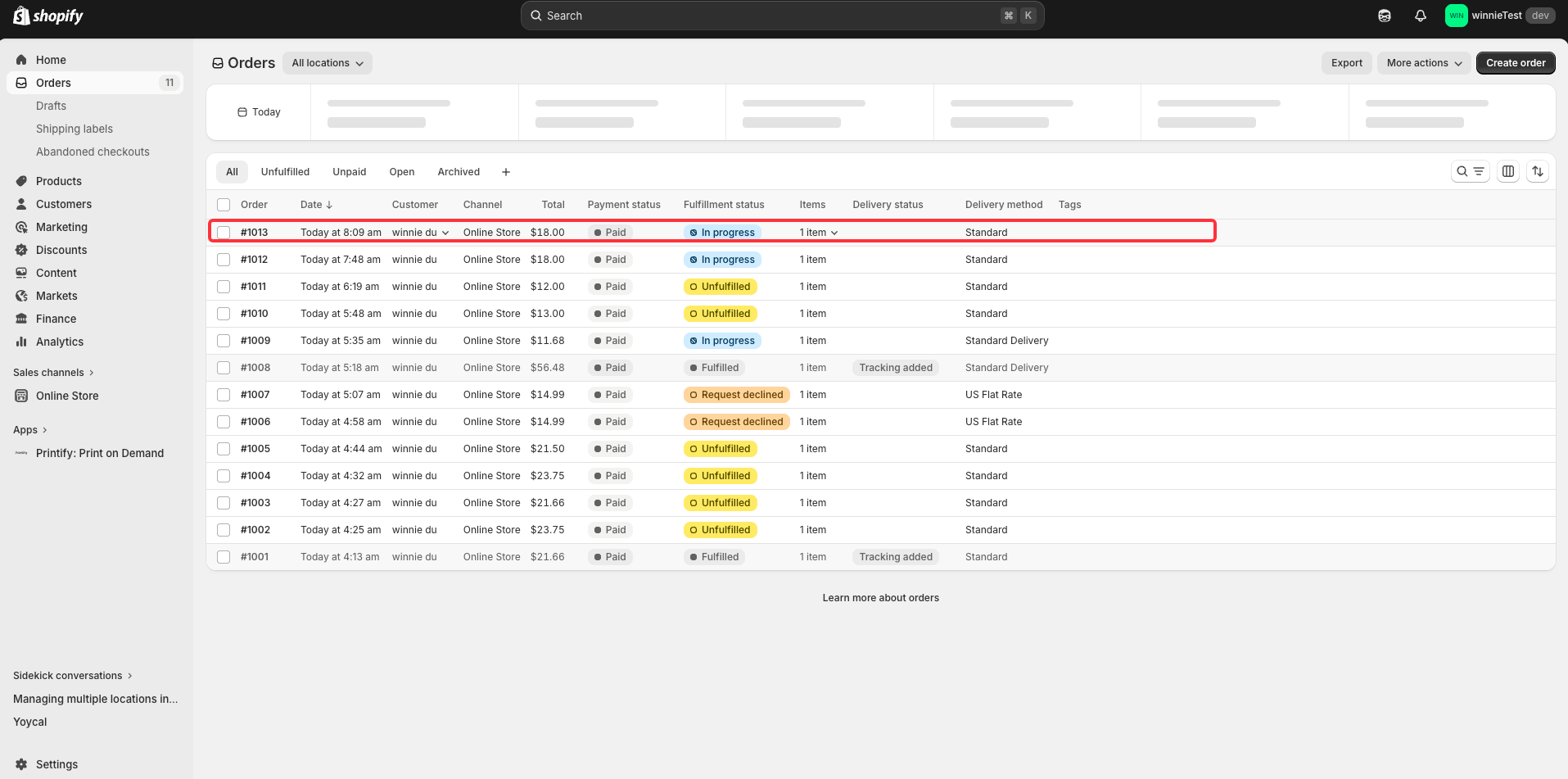
By the way, you can click "Request Fulfillment" to send a fulfillment reminder. Artiststore will automatically process your orders and handle fulfillment and shipping for you asap!