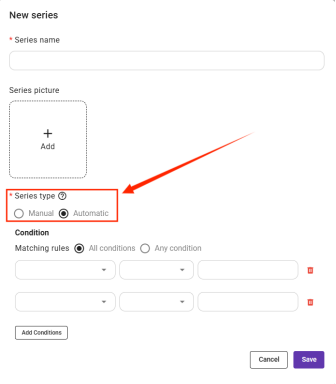
To create a product category/collection:
1. Go to Product Management → Product Collections
2. Create a new collection and name it based on style, theme,or usage
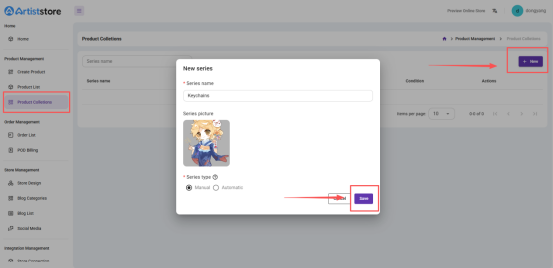
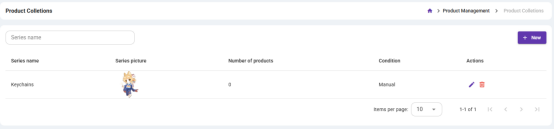
3. Now you can assign your products to collections
Note: When you add a new collection, you can choose between two types: Manual and Automatic.
Manual Collection
In a Manual collection, every product in the collection needs to be added manually. This means you will need to select and add each product to the collection yourself.
Automatic Collection
In an Automatic collection, you can set specific conditions. When a product you create meets these conditions, it will automatically be added to the collection.
You can add multiple conditions. For these conditions, you can choose whether a product needs to meet any condition to be included, or all conditions to be included.