

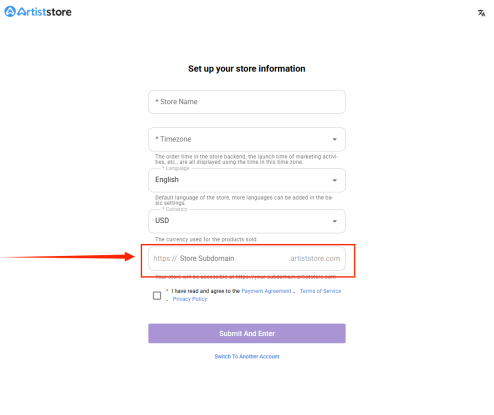
Your shop’s URL is the unique address that customers visit to reach your store. The subdomain is the part of this URL you can choose, which appears before .artiststore.com. Once set, it cannot be changed later.
When you first log in to Artiststore, you will be prompted to set your store’s subdomain.
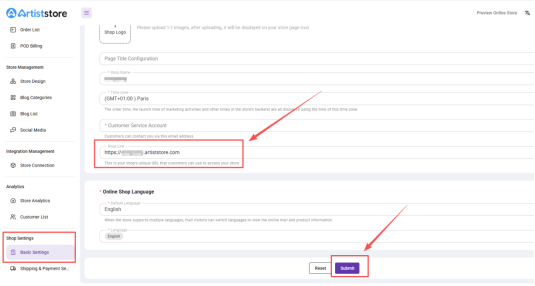
If you didn’t set a subdomain during your first login, you can add it later from your Artist Dashboard.
Steps:
Log in to your Artist Dashboard
Go to Shop Settings → Basic Settings
Enter your desired subdomain
Submit your changes
Once your subdomain is set, it will be immediately applied to your online store.